
Product
RoomsWhere the standup or decision happensPagesSpecs and notes Align reads, and finds tasks inPlansTickets from every meeting, in sync with Jira and LinearChatTeam threads that feed the same contextAlign for CallsMeet, Teams and ZoomAlign for MacBetaCompanion in your notchCoding agents (MCP)Claude Code, Cursor, ChatGPTSee the loop in action
Company
Resources
Video walkthrough · 1:04
Plans: from what you decided to what shipped
Watch tasks from calls, chat and code arrive in the Plans Inbox, get planned on a board, keep their context, and show up in a standup that writes itself.
About Plans
Plans is where decisions turn into shipped work. It syncs both ways with Jira and Linear and follows GitHub, so you can keep the tracker you already use and still see why each ticket exists.
What the video covers
- 1HomeYour tasks, due dates and projects in one place.
- 2InboxTicket moves from your calls and your code wait for one click, and new work people promised arrives as a drafted ticket.
- 3BoardPlan the project on a board, list, table or timeline.
- 4ContextEach item keeps the decision behind it, its done-when checks and its owner.
- 5StandupStandup writes itself from commits, tickets and what people said.
More walkthroughs
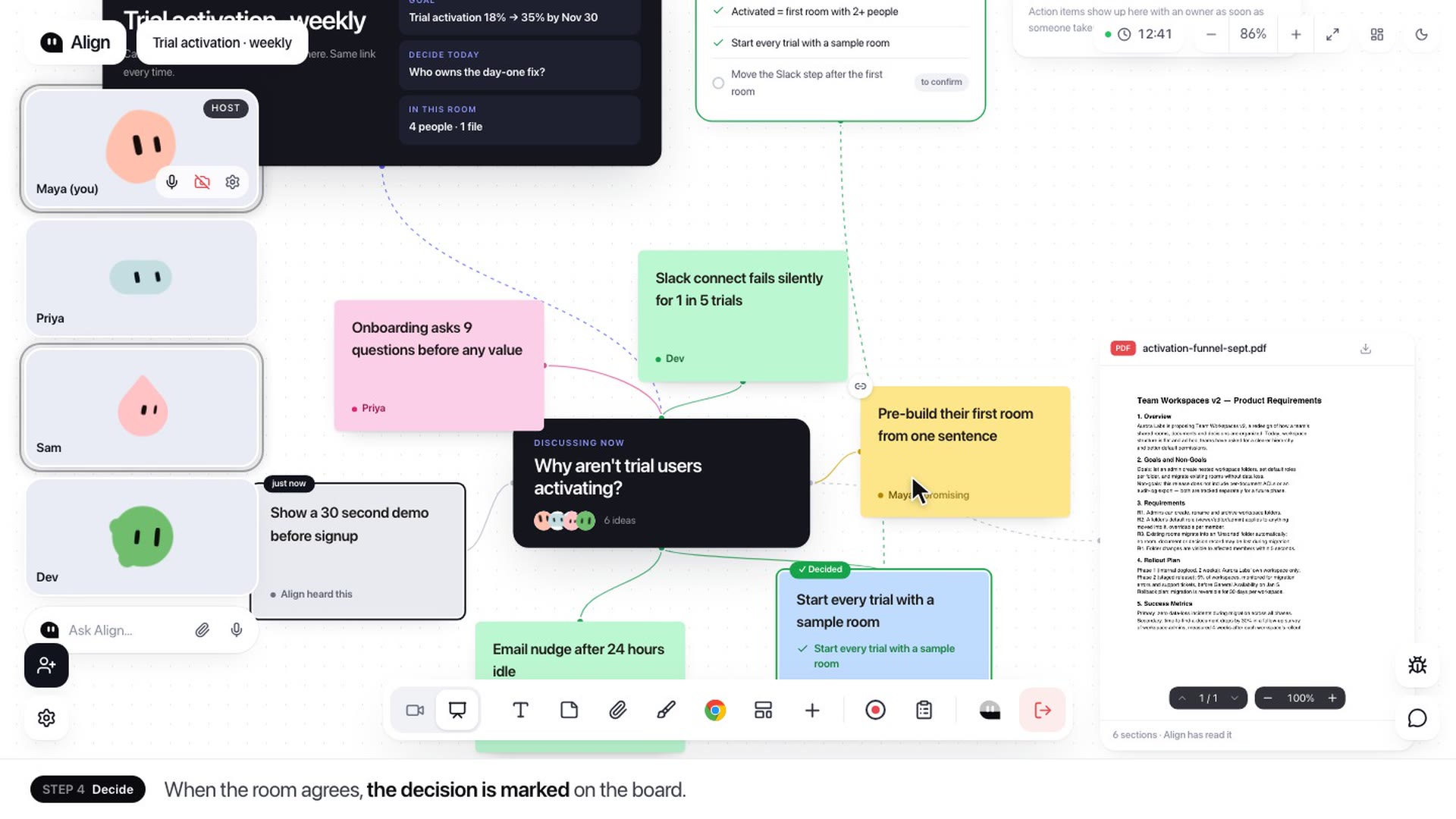 Rooms · 1:16Rooms: a meeting board that keeps up with the callWatch an Align room in action: ideas land on the board by person as the team talks, decisions get marked, and tasks leave the call with an owner and a date.Watch
 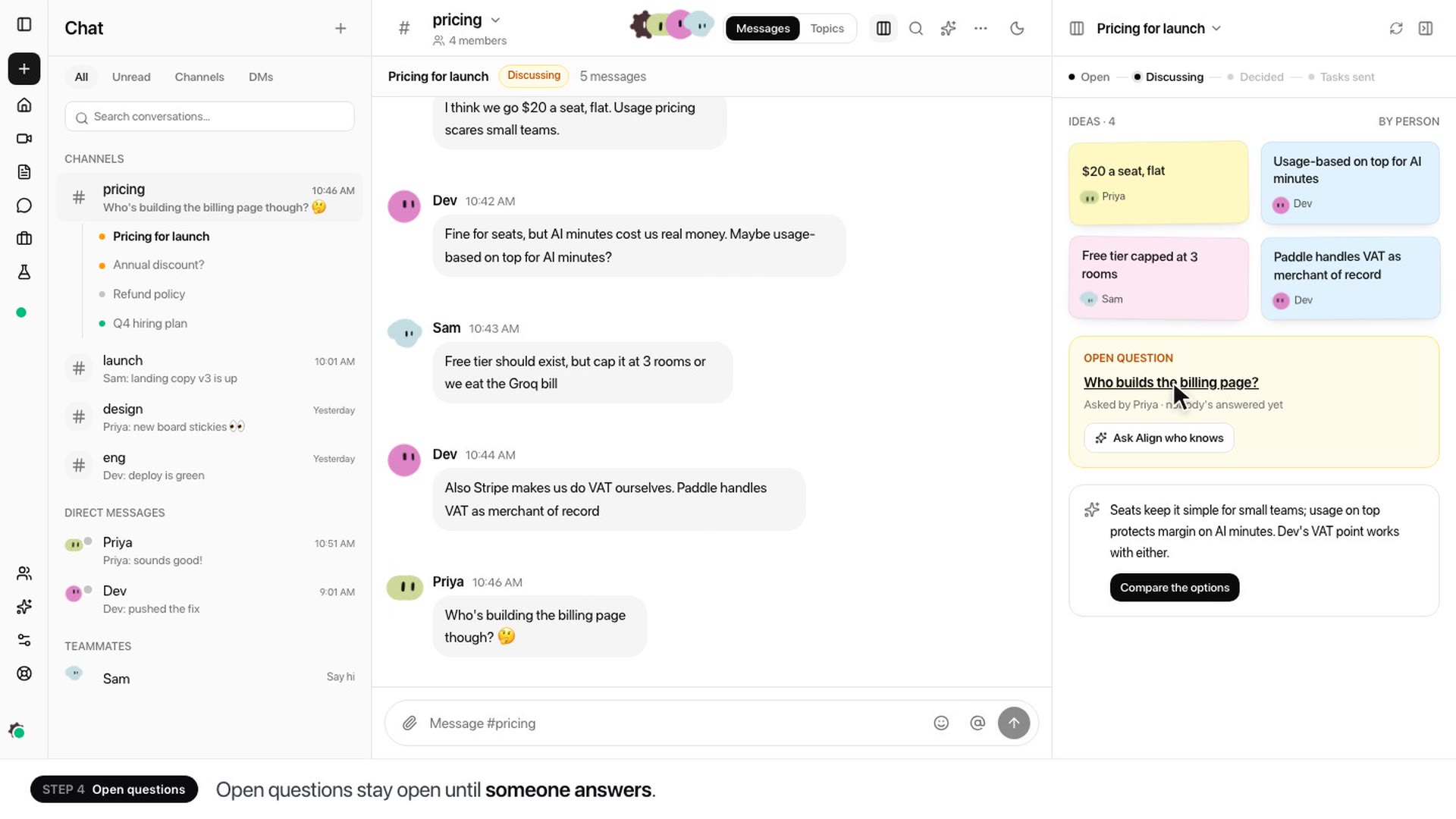 Chat · 1:10Chat: team chat that turns into decisionsWatch a channel conversation become a topic board, a decision and three tasks in Plans, then see Align catch you up on every topic in the channel.Watch
 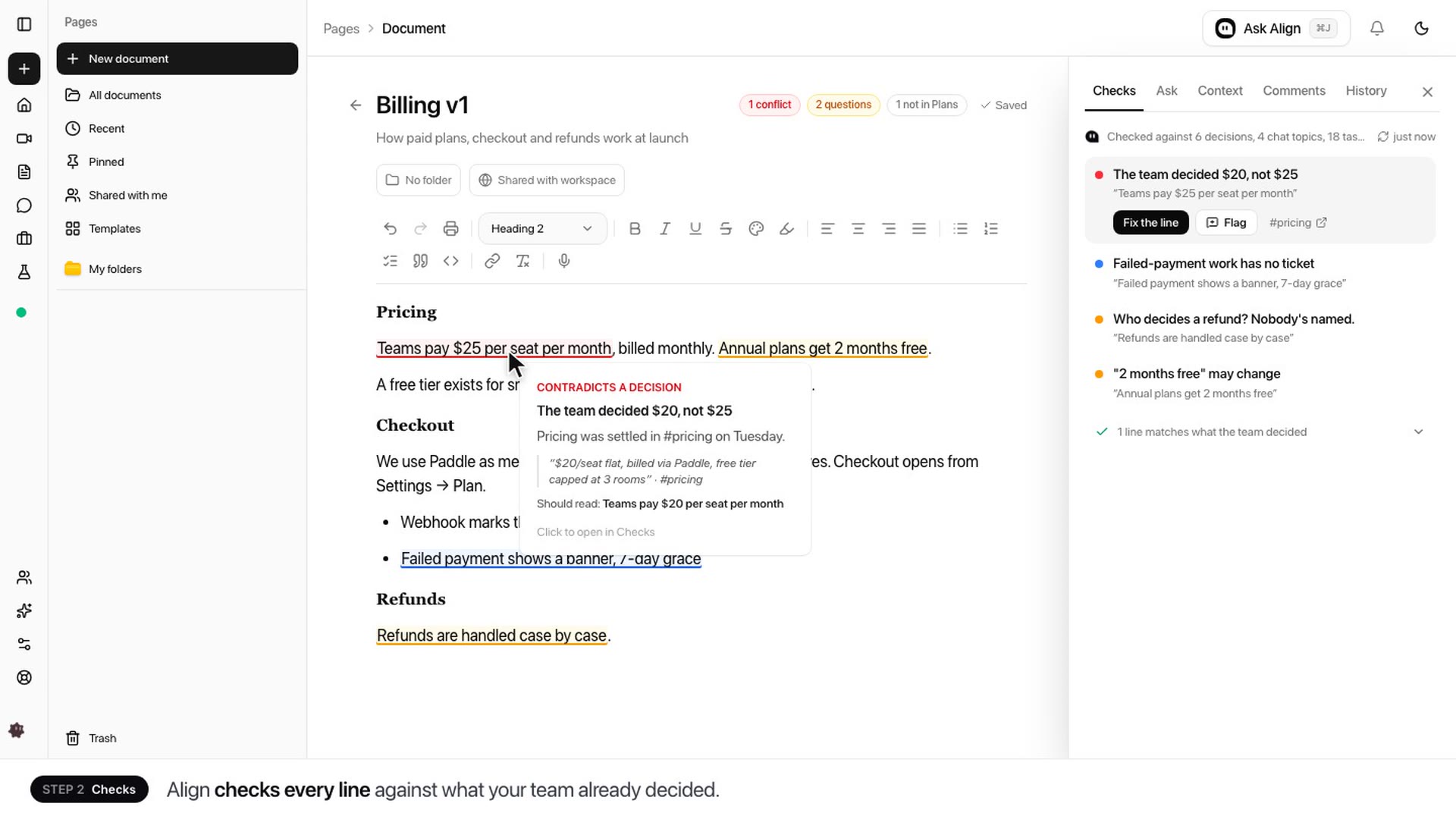 Pages · 1:15Pages: docs that know what your team decidedWatch Align draft a billing spec, check every line against the team's decisions, fix an out-of-date price in one click and send missing work to Plans.Watch
Let tomorrow’s standup write itself
Sign up, connect Jira or Linear (or just use Plans), and hold your standup as usual. The tickets are drafted by the time you hang up, and the next update is ready before anyone asks.
Free plan Two-way sync Nothing moves without your OK
Done yesterday
ENG-219 · Invite flow
In review
ENG-205 · Billing webhook
ENG-231 · from Daily standup
Ship the onboarding flag for new teams
To doIn progressIn reviewDone