
Product
Company
Resources
Private beta · macOS 13 or later
The work around the work, in your notch.
Align reads the tools you connect, works out what needs you, keeps track of who owes what, and puts the next step one tap away. It never acts without you.
Free during the private beta · Access is granted gradually
What is Align for Mac?
Align for Mac is an AI work companion that lives in your MacBook's notch (or a drawn one on other Macs). It reads the tools you connect, such as Gmail, Slack, Jira, Linear, GitHub, Notion and your calendar, and the coding agents on your Mac, such as Claude Code and Codex. It shows only what needs you, keeps your follow-ups in both directions, moves your tickets along after you push code, prepares you for meetings, and offers the next step as a single tap. It starts silent in practice mode and never acts without your confirmation. It is in private beta for macOS 13 and later.
One calm place to look
Less checking. Better timing.
The Companion stays close without becoming another noisy inbox. Hover the notch, train it on what matters, and keep the final say.
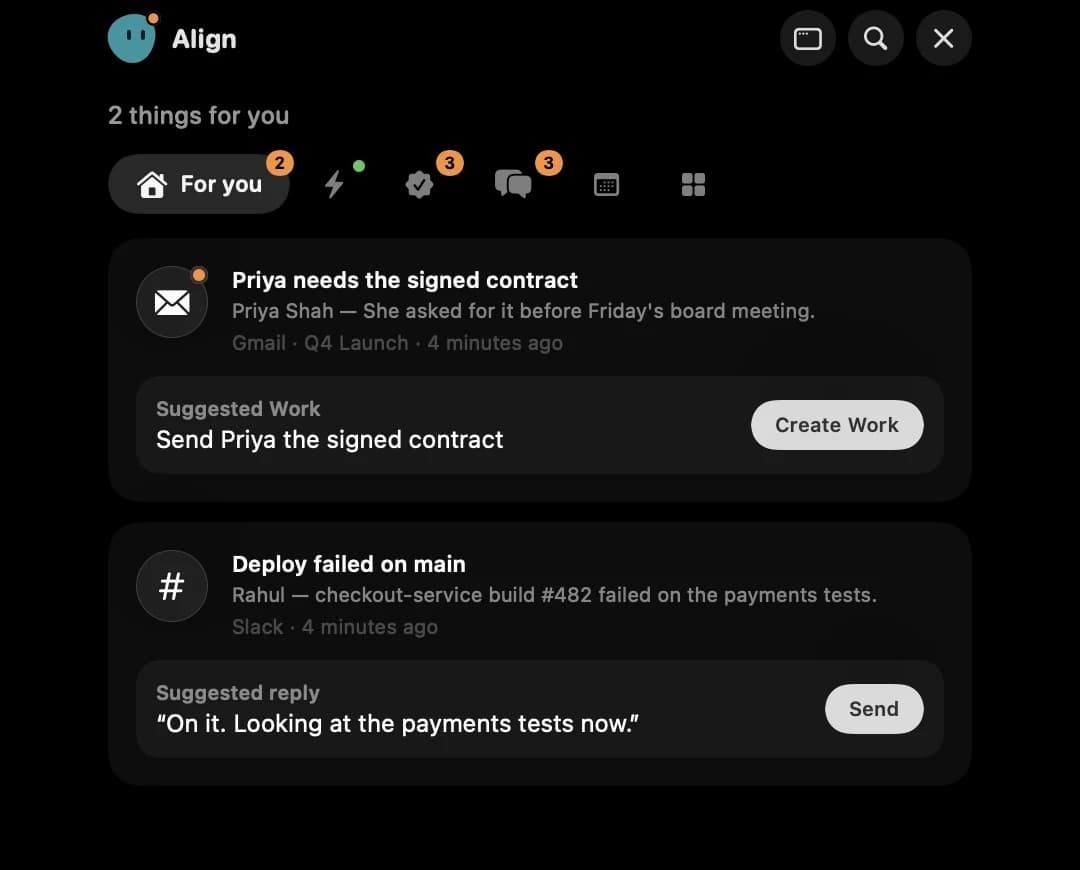
Only what needs you
Real requests, decisions and security or billing alerts for you. Newsletters, receipts and chatter are set aside, and every item says why it is there.
One tap into Align
Turn any item into Work or a Decision, move a ticket to its next step after you push, and share a file with a link anyone can open. Nothing happens until you press it.
Always within reach
Hover the notch to open it, press ⌃⌥Space for the quick bar from any app, and get native notifications only for what really needs you.
Practice mode first
It starts silent. It shows what it would have told you, you rate it, and you turn notifications on when it is accurate. Go back to practice any time.
Works with your tools
Gmail, Slack, GitHub, Jira, Linear, Notion, Figma and your calendar, connected once in Align, plus Claude Code, Codex and Antigravity on your Mac.
Workspace controls
Owners and admins can limit which sources are used, how long signals are kept, and whether any content is sent to a language model.
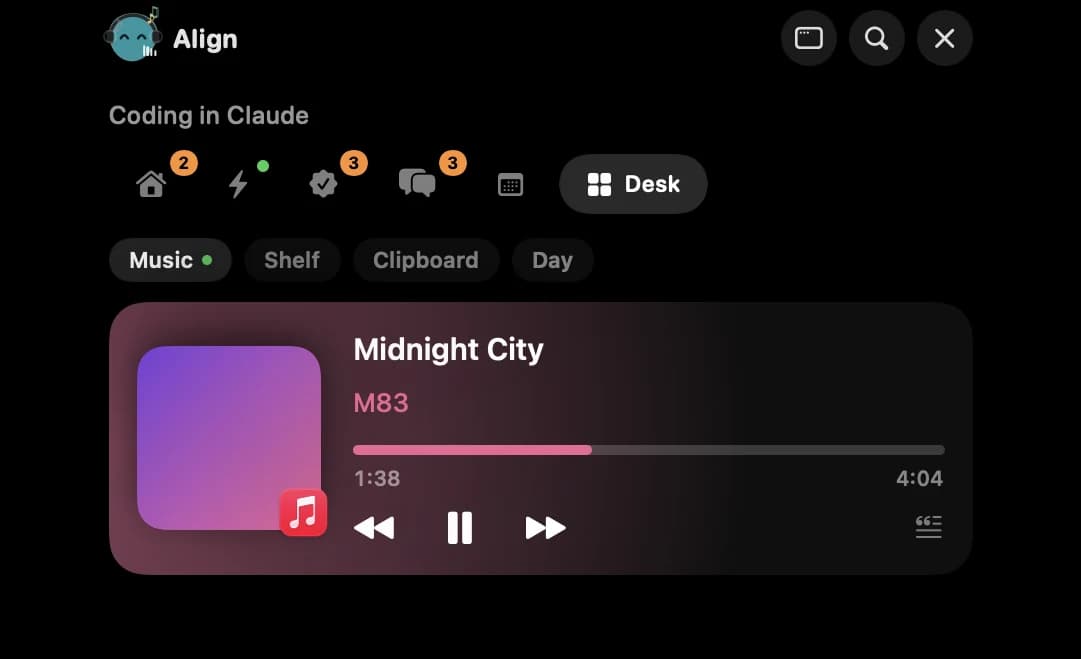
Six tabs, nothing more
Everything you need to stay on top of it.
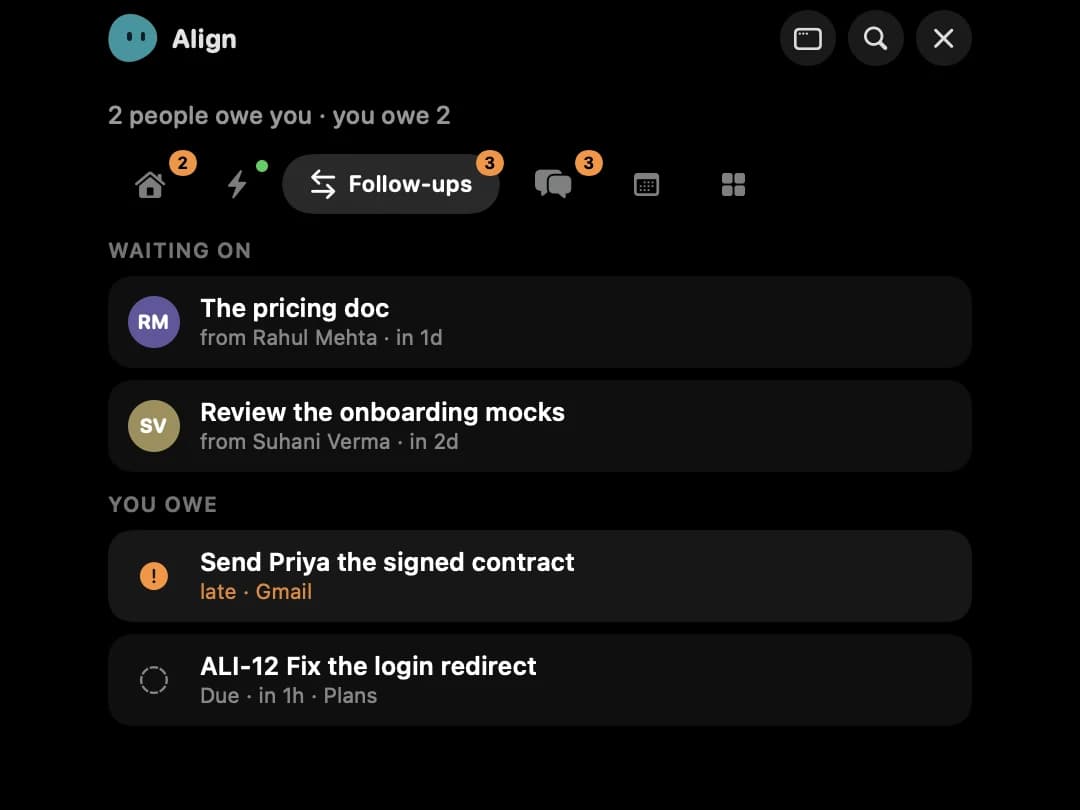
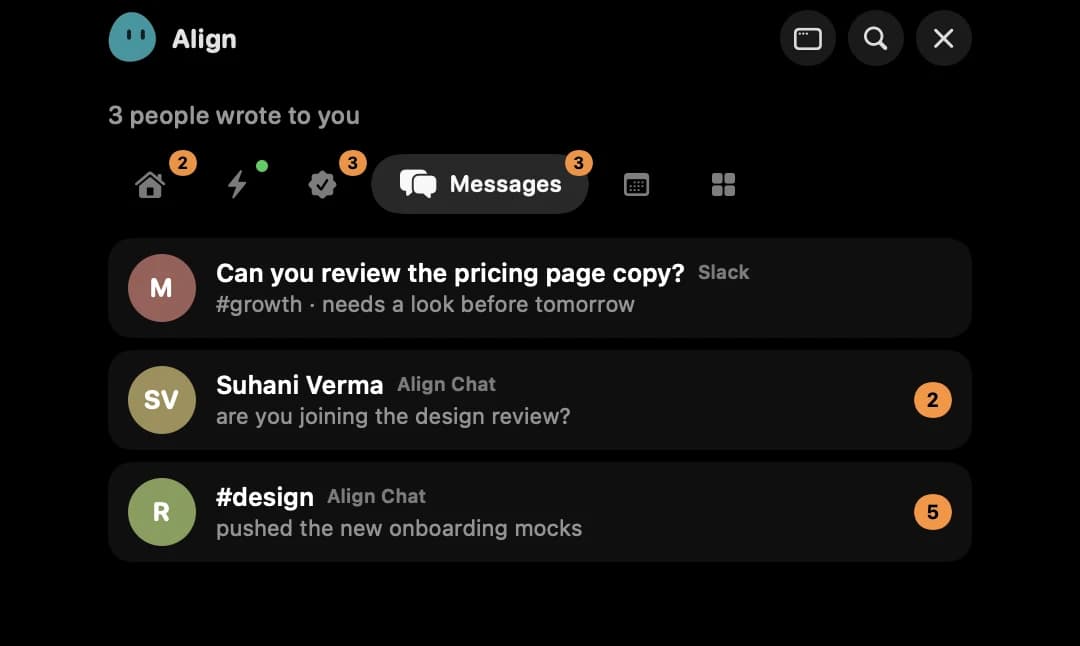
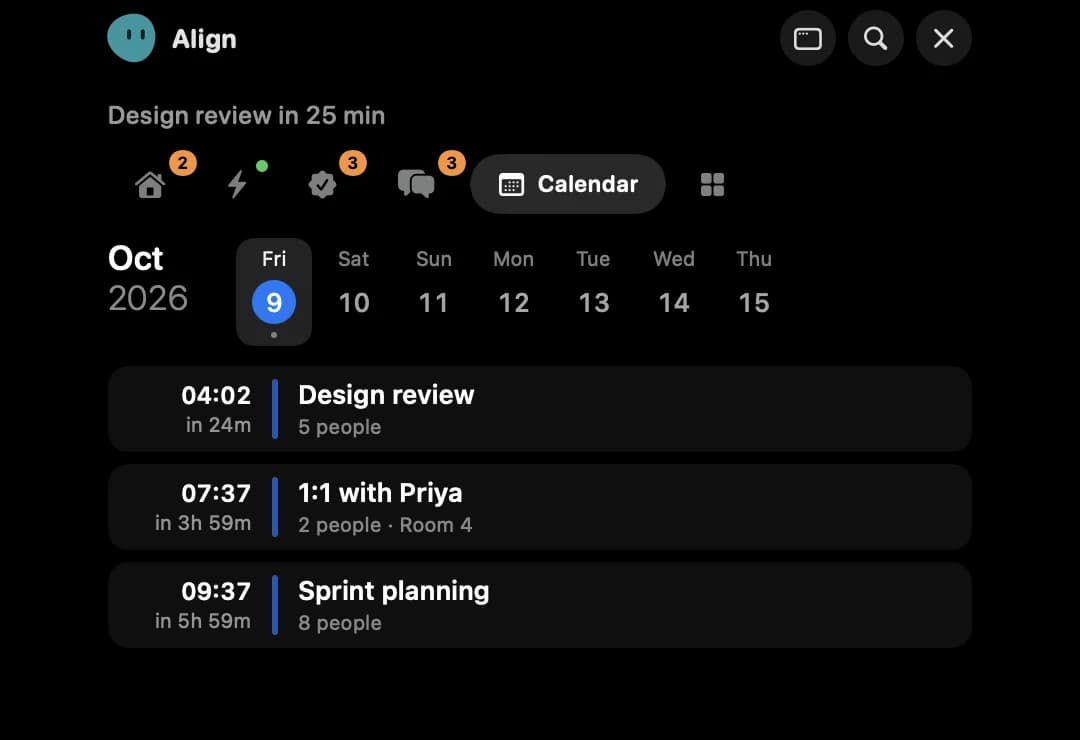
Captured from the app itself, with sample data. Pick a tab and watch the notch open. Now shows what your coding agents are doing, with Allow and Deny, then a one-tap commit and push.
From download to useful
How to set up Align for Mac in four steps.
Start in practice mode, see exactly what Align would surface, and only turn on notifications when the signal feels right.
Request beta access- 1
Get into the beta
Takes a minuteSign in to Align and request shared beta access. When you are in, a Download for Mac button appears in Companion.
- 2
Install and sign in
About two minutesOpen the app and choose Continue in browser. You approve the Mac once, with nothing to copy or paste. On first launch, right-click the app and choose Open.
- 3
Choose what it can see
You stay in controlConnect Gmail, Slack and the rest from Align. On the Mac, turn on Claude Code, Codex or day tracking only if you want them. Nothing is on by default.
- 4
Turn it on when you trust it
Practice firstIt starts in practice mode. Rate a few picks, then switch on notifications. Disconnect or sign out from the app or from Align whenever you like.
The first run
Quiet, minimal, and yours to switch on.
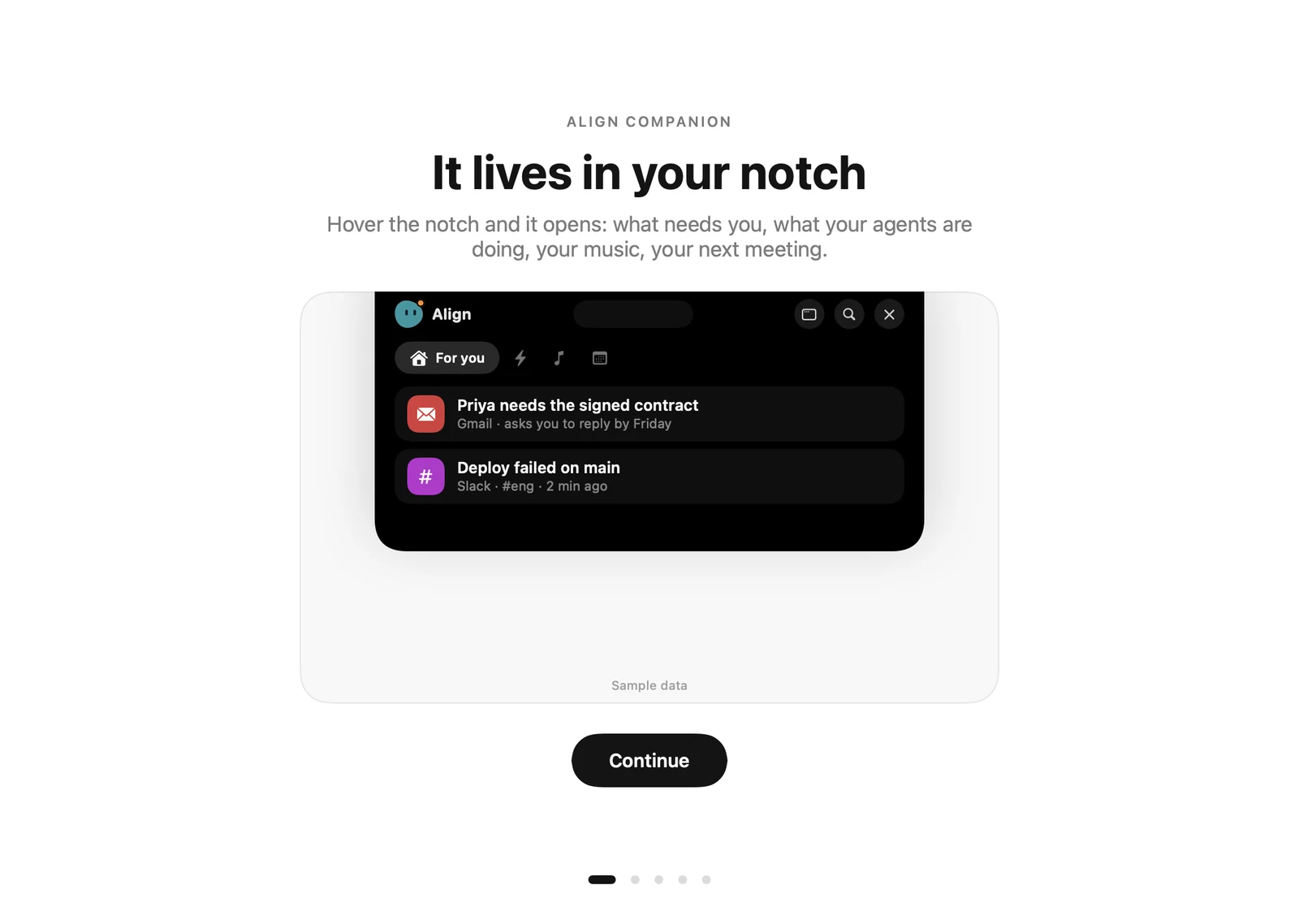
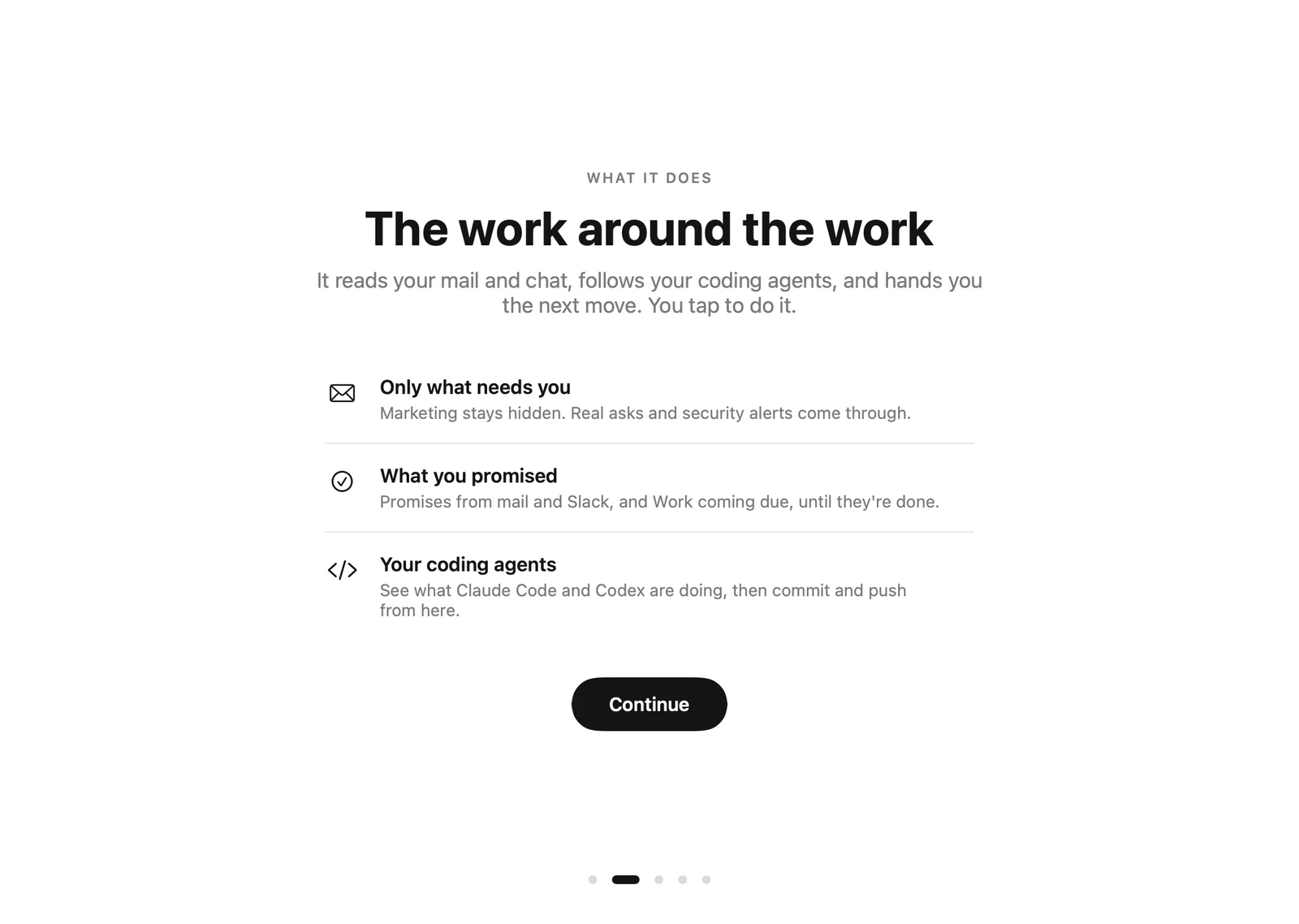
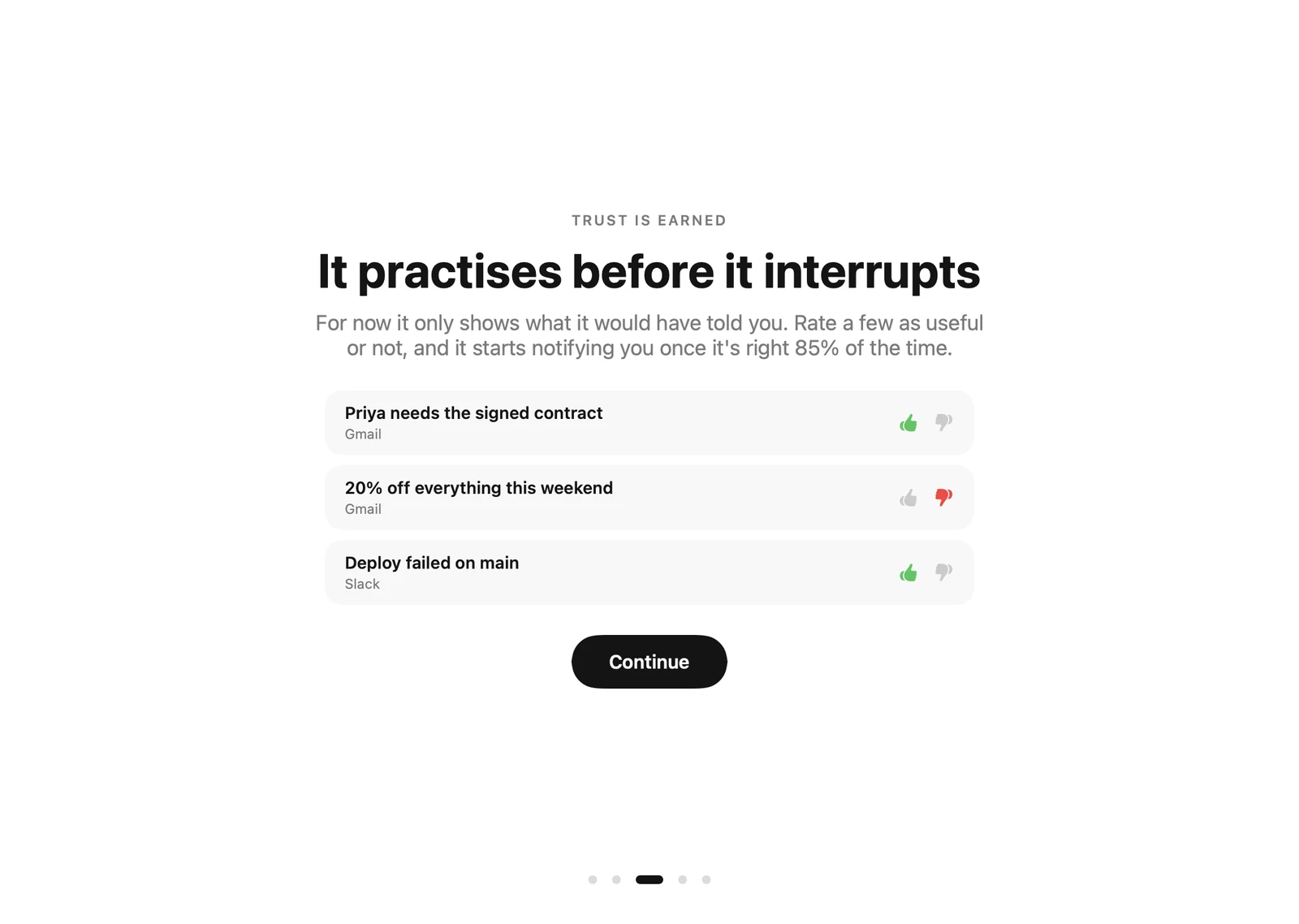
Nothing is on by default
You decide what it sees, and when it speaks.
- Starts silent in practice mode
- Coding agents, day tracking and promise tracking are opt-in
- Every action is a button you press
- Sign out or disconnect any time
Helpful, never autonomous
A next step, not a surprise.
Align can suggest Work, a Decision, a ticket move or a reply, and it cannot do any of them until you press the button. Every connection is visible, reversible, and under your control.
Built to be trusted
Your context stays yours.
Align reads the minimum it needs, starts quiet, and asks before it acts. You can pause the Companion or disconnect a source at any time.
- You tap, it acts. Align reads your sources, and posts a Slack reply, moves a ticket, opens a pull request or creates Work or a Decision only after you press the button for it.
- Gmail is read-only. For email it sees the sender, subject and Gmail's short preview, not full message bodies, and it cannot send, delete or label mail.
- Sensitive mail, such as legal, HR, health or financial topics, never triggers a notification.
- Watching what you wrote is opt-in. Spotting your asks and promises in sent mail and Slack, coding-agent hooks and day tracking are each off until you turn them on.
- Your prompts and commands stay on your Mac. Only app names and project-relative file paths are sent, and only for features you turned on.
- Text from email and chat is treated as untrusted: it cannot instruct the Companion to do anything.
- Revocable. The Mac app uses its own token that can only act on your Companion, and you can disconnect it at any time.
Read the full details on the security page.
Requirements
- macOS 13 Ventura or later, on Apple silicon or Intel. It looks best on a MacBook with a notch; other Macs get a drawn one.
- An Align account with private-beta access
- At least one connected source, such as Gmail or Slack, to have anything to watch
Frequently asked questions
Is Align for Mac available to everyone?
Not yet. It is part of the shared Align private beta, and we are letting people in gradually. Sign in to Align and request beta access. When you are let in, a Download for Mac button appears on the Companion page.
What does the Companion actually do?
It watches the sources you connect, ranks what needs your attention, and shows a short list in your notch with the reason and a suggested next step. It also keeps your follow-ups in both directions, moves tickets along after you push code, and shows your next meeting with a Join button. Nothing is created or sent until you confirm.
Does Align read my email?
With Gmail connected it reads message metadata and Gmail's short preview. It does not fetch full message bodies, and it cannot send, delete or label mail. If you turn on follow-up spotting, it also reads the short preview of mail you sent.
Can it send messages or change things on its own?
No. Every action is a button you press: creating Work or a Decision, saving a file to Pages, moving a Jira or Linear ticket, opening a pull request, or sending a suggested Slack reply. It cannot send email. Nothing runs without your tap.
What does it do with Claude Code or Codex?
If you connect them, it shows what each session is doing, lets you Allow or Deny a request from the notch, and offers to commit and push when a session finishes. Then it finds the Jira, Linear or Align Plans ticket that work belongs to, even when the branch doesn't name it, and offers to move it to its next workflow step. Your prompts and commands stay on your Mac. Disconnecting removes the hooks.
Will it notify me constantly?
No. It starts in practice mode with no notifications at all. When you turn them on, there is a daily cap, a pause control and quiet hours, and sensitive items never interrupt you.
Which Macs does it run on?
macOS 13 Ventura or later, on Apple silicon and Intel Macs. It sits in the notch on MacBooks that have one and draws one on other Macs. There is no Windows or Linux version yet.
macOS says it can't verify the app. Is that normal?
Yes, during the private beta. The app is not yet notarized by Apple, so macOS asks you to confirm the first launch: right-click the app, choose Open, then click Open. You only do this once. We will notarize the app before it is generally available.
How is it different from the Align browser extension?
Align for Calls lives in your browser and helps during Meet, Teams and Zoom calls. Align for Mac lives in your notch, watches your work sources and your coding agents and tells you what needs you, with or without a browser open.
More from Align
Align for Calls
The browser extension for Meet, Teams and Zoom: ask what was decided mid-call and send the recap.
Align Plans
Where the Work, Decisions and follow-ups the Companion creates for you live.
Security
How Align handles access, retention and what language models can see.
Pricing
Free during the private beta. See the plans for teams.
Align for Mac · Private beta
Know what needs you.
Ignore the rest.
A calmer way to keep up with Gmail, Slack, your calendar, your coding agents and the work around them, right from your notch.
Request beta accessmacOS 13 or later · Free during beta